

This guide will walk you through setting up your environment to run evaluations with Trajectory AI using the Workday demo environment.

Prerequisites

1. Install the Trajectory SDK

Install the Trajectory SDK using pip (project page at trajectoryevals):
pip install trajectoryevals

2. Get Your API Credentials

To use Trajectory AI, you’ll need to generate an API key from the dashboard and configure it in your environment.

Step 1: Create an Account and Access Dashboard

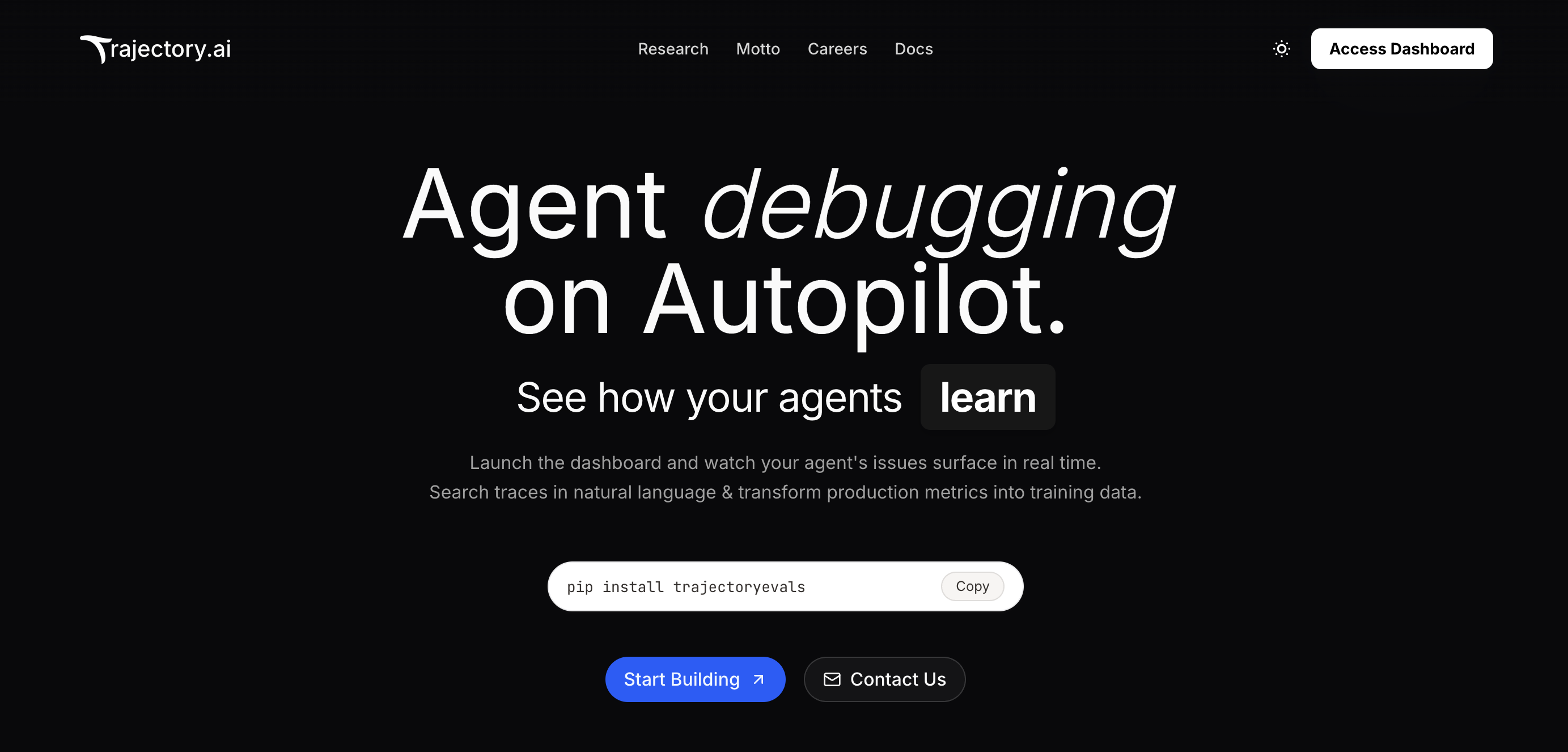
First, create an account at trajectoryevals.com and access the dashboard. Access Dashboard
Step 2: Navigate to API Keys

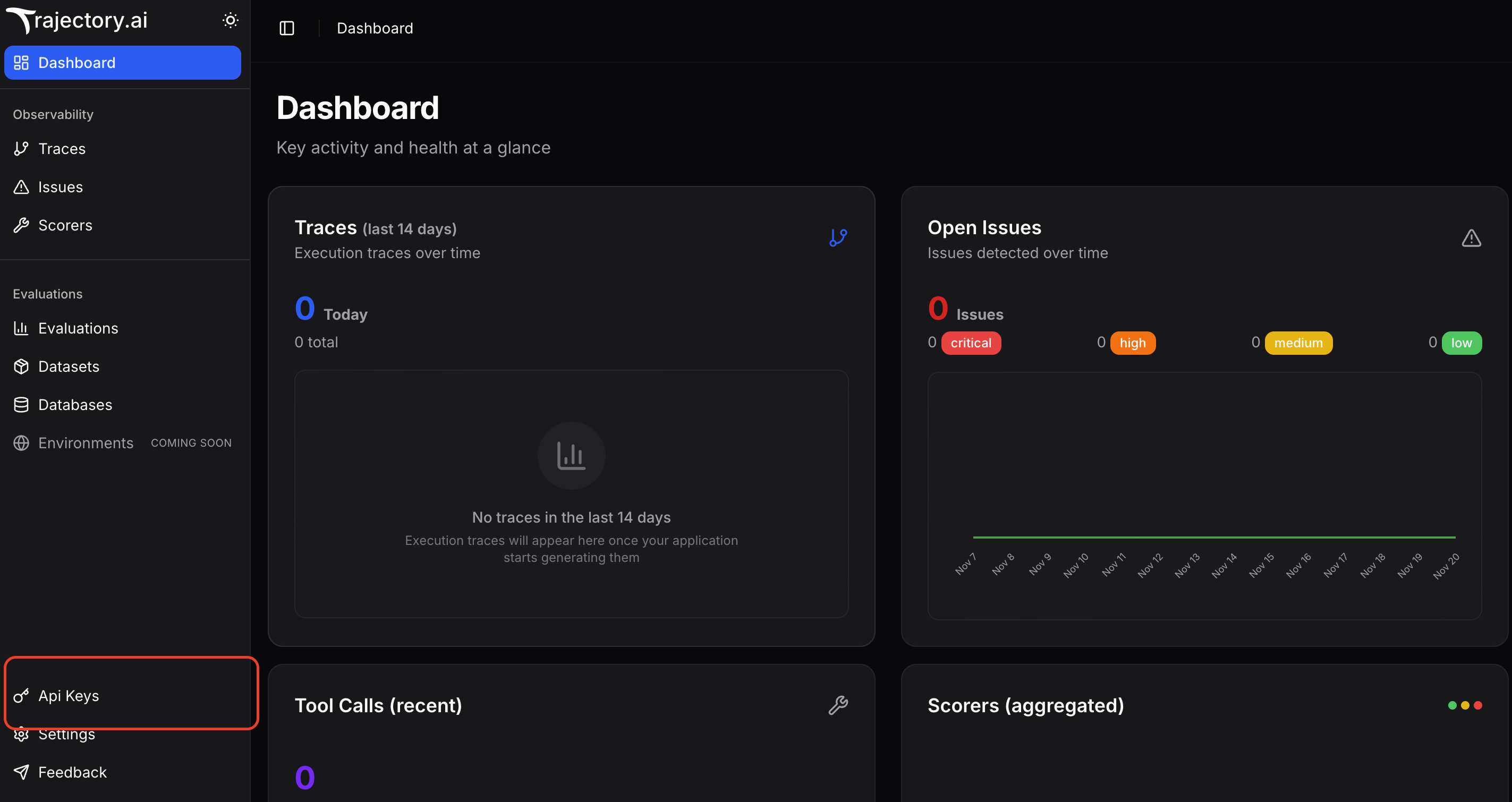
Once you’re in the dashboard, navigate to the API Keys section. API Keys Section
Step 3: Generate and Copy Your API Key

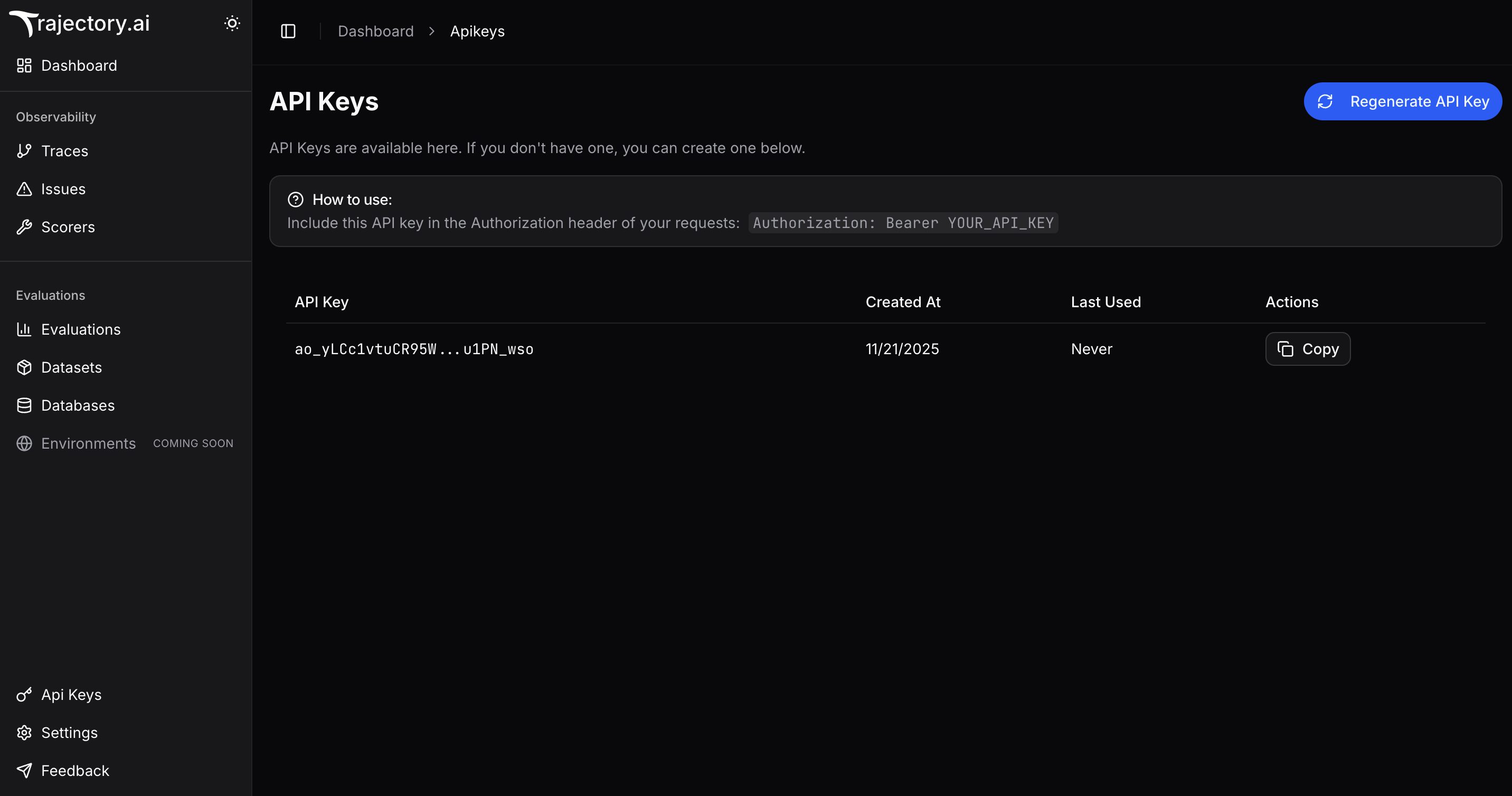
Click on Generate API Key to create a new API key, then copy it to your clipboard. Copy API Key
Step 4: Configure Environment Variables

Create a .env file in your project directory and add the following environment variables:
TRAJECTORY_API_KEY="your-api-key-here"
TRAJECTORY_ORG_ID="your-organization-name"
Note: TRAJECTORY_ORG_ID can be any name you choose to identify your organization. This is used to organize your projects and traces.

Configuration

Create a config.yaml file in your project directory with the following configuration:
mock_app:
  name: "workday-demo"
  docker_remote_image: "ghcr.io/trajectory-ai/workday:dev"
  port: 8003

datasets:
  - dataset_id: "ef3d385a-5293-457a-af7c-06cb55d256f5"
    dataset_name: "Workday Demo Dataset"
    env_variable_to_override: "WORKDAY_API_BASE"
    task_ids: []

Running the Mock Server

Start the mock server using the following command:
traj up --config-file config.yaml
This will start the Workday mock server on port 8003, which your agent will interact with during evaluations.

Running Evaluations

Once the mock server is running, you can execute your evaluation script. Here’s an example evaluation script:
run_workday_eval.py
from __future__ import annotations

import importlib.util
import sys
from pathlib import Path
from typing import Any

from trajectory.common.logger import trajectory_logger
from trajectory.evaluations import BaseEvaluation

logger = trajectory_logger

_THIS_DIR = Path(__file__).resolve().parent
_AGENT_FILE = _THIS_DIR / "simple_workday_agent.py"
spec = importlib.util.spec_from_file_location("simple_workday_agent", str(_AGENT_FILE))
if spec is None or spec.loader is None:
    raise ImportError("Unable to load simple_workday_agent.py")
module = importlib.util.module_from_spec(spec)
spec.loader.exec_module(module)
run_agent = module.run_agent


class WorkdayEval(BaseEvaluation):
    def run_agent(self, task: str, **_: Any) -> dict[str, Any]:
        output = run_agent(task)
        return {"task": task, "output": output, "trace_id": None}


def main() -> None:
    if len(sys.argv) < 2:
        logger.error("Usage: python run_workday_eval.py <config.yaml>")
        sys.exit(1)
    config_path = Path(sys.argv[1]).expanduser().resolve()
    if not config_path.exists():
        logger.error("Config file not found: %s", config_path)
        sys.exit(1)

    logger.info("Starting workday evaluation using %s", config_path)
    WorkdayEval().run(
        str(config_path),
        use_concurrency=True,
        max_workers=4,
        num_runs=1,
    )


if __name__ == "__main__":
    main()

Example Agent Implementation

Here’s an example Workday agent implementation that demonstrates how to use the Trajectory tracer:
simple_workday_agent.py
import json
import os
from typing import Any

import requests
from anthropic import Anthropic

from trajectory import Tracer, wrap

# Initialize tracer from environment
trajectory = Tracer(
    api_key=(os.environ.get("TRAJECTORY_API_KEY")),
    organization_id=(os.environ.get("TRAJECTORY_ORG_ID")),
    project_name=os.environ.get("TRAJECTORY_PROJECT", "workday_eval_project"),
    enable_monitoring=True,
    enable_evaluations=False,
    enable_local_tracing=True,  # Required for per-task scoring in evaluations
)

anthropic_client = None
try:
    anthropic_key = os.environ.get("ANTHROPIC_API_KEY")
    if anthropic_key:
        anthropic_client = wrap(Anthropic(api_key=anthropic_key))
except Exception:
    anthropic_client = None


def _base():
    """Get the Workday API base URL (already includes instance_id from base_evaluation)"""
    return os.environ.get("WORKDAY_API_BASE", "http://localhost:8003/test_eval")


@trajectory.observe(span_type="tool")
def wd_get_health() -> dict:
    r = requests.get(f"{_base()}/health", timeout=10)
    r.raise_for_status()
    return (
        r.json()
        if r.headers.get("content-type", "").startswith("application/json")
        else {"text": r.text}
    )


@trajectory.observe(span_type="tool")
def wd_get_worker(worker_id: str) -> dict:
    """Get detailed information about a specific worker by ID"""
    url = f"{_base()}/common/v1/workers/{worker_id}"
    print(f"GETting worker from {url}")
    r = requests.get(url, timeout=10)
    if r.status_code >= 400:
        return {"error": f"API returned {r.status_code}", "detail": r.text}
    return r.json()


@trajectory.observe(span_type="tool")
def wd_list_workers(
    limit: int = 50, offset: int = 0, search: str | None = None
) -> dict:
    """List all workers with optional search filter"""
    params = {"limit": limit, "offset": offset}
    if search:
        params["search"] = search
    url = f"{_base()}/common/v1/workers"
    print(f"GETting workers from {url} with params={params}")
    r = requests.get(url, params=params, timeout=10)
    if r.status_code >= 400:
        return {"error": f"API returned {r.status_code}", "detail": r.text}
    return r.json()


@trajectory.observe(span_type="function")
def run_agent(prompt: str) -> str:
    """
    Simple agent that routes to different tools based on prompt keywords
    """
    prompt_lower = prompt.lower()

    # Extract worker ID if present
    worker_id = None
    for tok in str(prompt).split():
        # Strip common punctuation
        clean_tok = tok.strip("()[]{},.;:!?\"'")
        if clean_tok.startswith("WID_") or (
            len(clean_tok) == 32 and clean_tok.isalnum()
        ):
            worker_id = clean_tok
            break

    # Route based on keywords in prompt
    if "worker" in prompt_lower or "employee" in prompt_lower:
        if worker_id:
            result = wd_get_worker(worker_id)
            return json.dumps(result)
        elif "search" in prompt_lower or "find" in prompt_lower:
            # Extract search term (simplified)
            search_term = None
            for word in ["Bob", "Alice", "Carol", "Dave", "Eve"]:
                if word.lower() in prompt_lower:
                    search_term = word
                    break
            result = wd_list_workers(search=search_term)
            return json.dumps(result)
        else:
            result = wd_list_workers()
            return json.dumps(result)

    # Default: check health and list workers
    health = wd_get_health()
    workers = wd_list_workers(limit=5)
    return json.dumps({"health": health, "workers_count": workers.get("total", 0)})


if __name__ == "__main__":
    print(run_agent("GET worker WID_000001"))

Execute the Evaluation

Run your evaluation script with the config file:
python run_workday_eval.py config.yaml
This will run the evaluation of your agent on the tasks. You can view the results, metrics, and traces from the Trajectory dashboard.
  • Make sure the mock server is running before executing your evaluation script
  • All traces and metrics will be automatically sent to your Trajectory dashboard
  • Use the dashboard to analyze agent performance, debug issues, and improve your agent over time